
Dashboard
how the team is keeping up.
The dashboard counts only conversations the viewer may see, so every staff member sees the figures for their own mailboxes and conversations.
01Key numbers
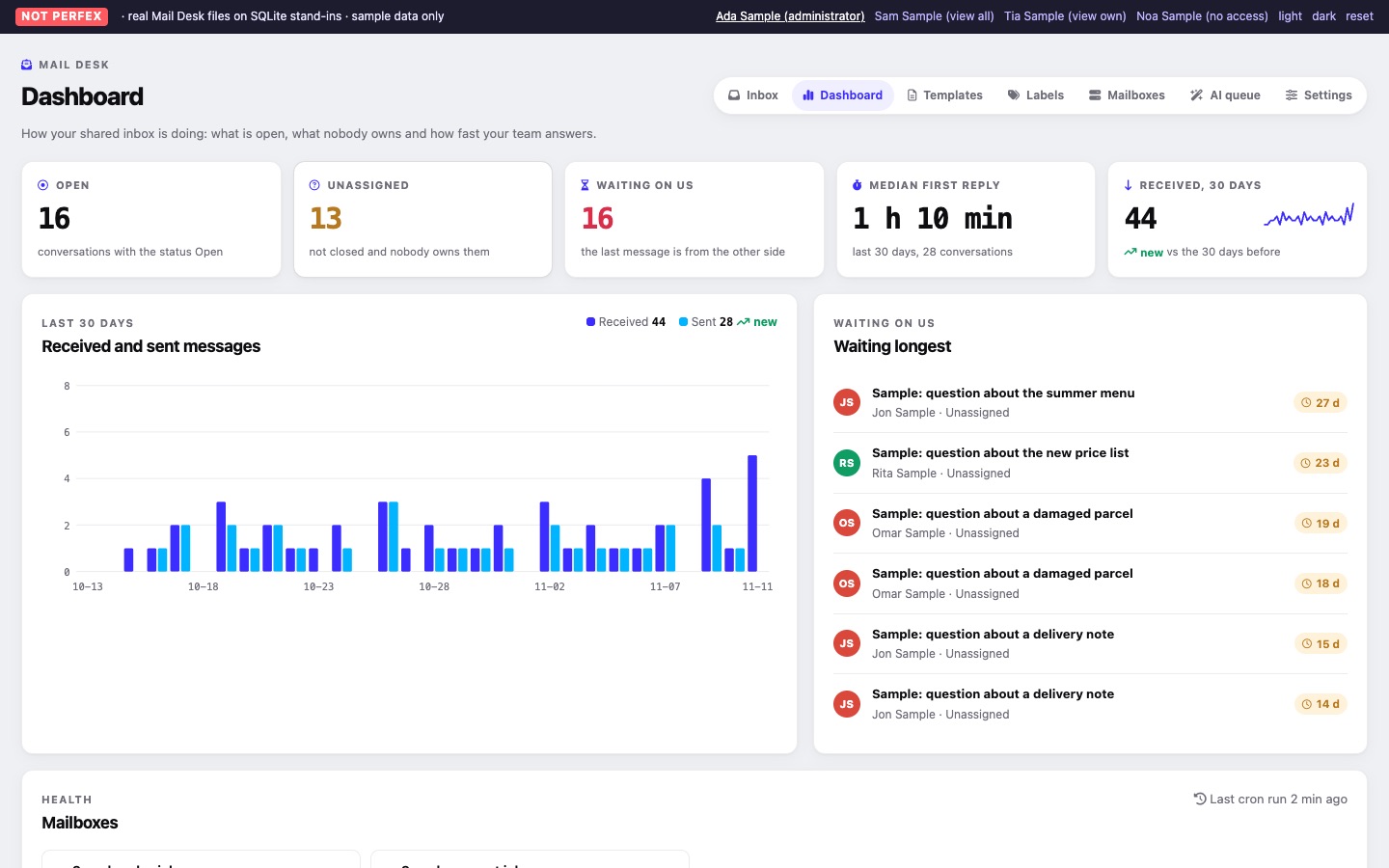
Mail Desk > Dashboard (needs View or View own) starts with five cards. The first three open the matching Inbox view.
| Card | How it is counted |
|---|---|
| Open | "conversations with the status Open" in the inbox. Opens the Open view. |
| Unassigned | "not closed and nobody owns them": in the inbox, not closed, assigned to nobody. Opens Unassigned. |
| Waiting on us | "the last message is from the other side": in the inbox, not closed, latest message received. Opens the Inbox. |
| Median first reply | For conversations whose first received message arrived in the last 30 days and that have a reply: the median time from that first received message to the first reply after it, shown as minutes, hours or days (for example "3 h 20 min"), with the number of conversations measured. Shows "no replies in the last 30 days" until there is a reply to measure. |
| Received, 30 days | Messages received in the last 30 days, the change against the 30 days before, and a small trend line. |
Replies sent from other mail programs count too, once the Sent folder has been read.
02Received and sent messages
Two bars per day, received and sent, for the last 30 days (today last), with the totals and the change in sent messages against the 30 days before. The chart is drawn on the server as inline SVG; it loads nothing from other websites. Without mail in the last 30 days the card says "No mail in the last 30 days".
03Waiting longest
The six conversations that have waited longest for your answer (latest message from the other side, not closed, in the inbox), with the subject, the correspondent, the assignee (or Unassigned) and how long ago the last message came. Each opens the conversation. When nobody is waiting it says "Nobody is waiting for an answer."
04Mailbox health
The last card lists the mailboxes you may open, each with its state: "Synced time ago", Not synced yet, Paused, or the last sync error. Its header shows "Last cron run time ago", or "The Perfex cron has not run Mail Desk yet".