
Sharing and permissions
mailbox access, then conversation access.
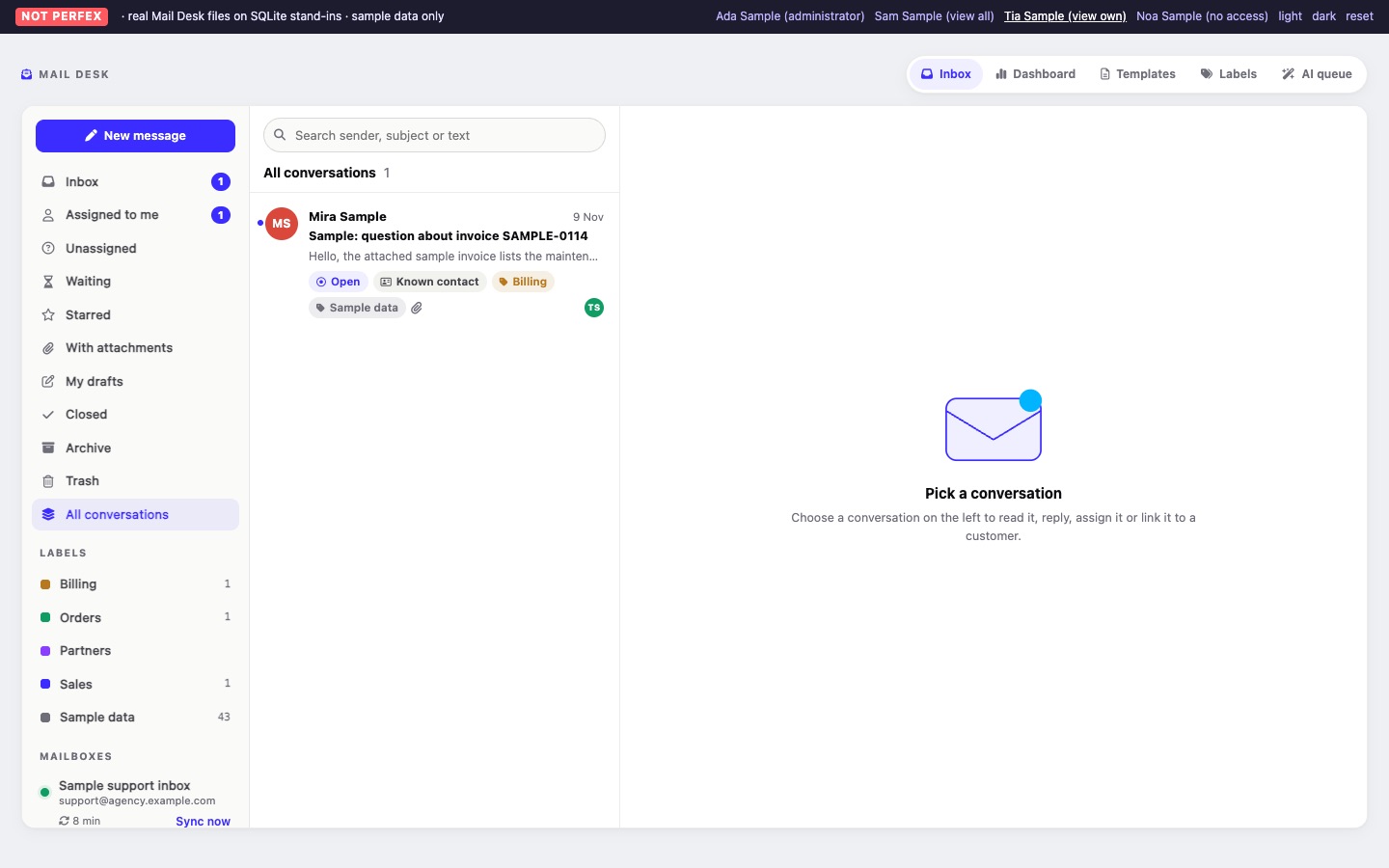
Two things decide what a staff member sees: which mailboxes they may open, and whether they see every conversation in those mailboxes or only their own. Administrators see and can do everything.
01Mail Desk permissions
Mail Desk adds a Mail Desk group with seven permissions to Perfex. Set them in Setup > Staff > Roles, or on a single staff member. The text in the second column is what Perfex shows next to each one.
| Permission | Shown as | What it allows in 1.0 |
|---|---|---|
| View | View all conversations of their mailboxes | Inbox, Dashboard, the customer Emails tab and the AI queue, with every conversation of the mailboxes this person may open. Mark as unread, Sync now, AI Summarise. |
| View own | View own (assigned conversations and own mailboxes) | The same, but only their own conversations: the ones assigned to them, and every conversation in mailboxes they own. |
| Create | Write, reply and add notes | New messages, replies, forwards, drafts and attachments, internal notes, the Templates page (own templates and own signature), AI Draft a reply. |
| Edit | Assign, change status, labels and links | Assign and Take it, status, priority, star, labels on a conversation, archive and move back to the inbox, restore from the trash, link and unlink, convert to a lead, ticket or task, the Labels page (create and rename), shared templates, AI Suggest labels and priority, approve or reject AI suggestions. |
| Delete | Move to trash, delete labels | Move conversations to the trash, delete labels. |
| Manage mailboxes | Manage mailboxes | Mail Desk > Mailboxes: add, edit, test, sync and delete mailboxes and set who may use them. |
| Settings | Settings | Mail Desk > Settings, including the AI provider and key, Test the AI connection, and the AI audit log on the AI queue page. |
Writing needs Create together with View or View own. The Mail Desk menu and its tabs show only the pages a person may open. Someone with only Manage mailboxes or Settings sees just those pages. Converting an e-mail into a lead or a task also needs Perfex's own Create permission for leads or tasks (Convert).
02Administrators
Perfex administrators have every Mail Desk permission and can open every mailbox, whoever owns it.
03Personal and shared mailboxes
| Mailbox | Who can open it |
|---|---|
| Personal (not shared) | Its owner, and administrators. |
| Shared | Its owner, administrators, the staff members on its access list, and everyone in the roles on its access list. |
- The access list counts only while the mailbox is marked shared. Switching sharing off keeps the list but stops using it.
- Sharing with roles is offered when your Perfex installation has staff roles. Each staff member counts with the role set on their Perfex profile.
- Opening a mailbox still needs View or View own; the access list alone is not enough.
04View versus View own
Inside the mailboxes a person may open:
- With View, they see every conversation.
- With only View own, they see the conversations assigned to them and every conversation in a mailbox they own. Unassigned conversations in a shared mailbox are not visible to them until someone assigns one to them.
The same rule applies everywhere Mail Desk shows conversations: the Inbox, search, the dashboard figures, the Emails tab on a customer, attachments, AI features and the AI approval queue. Opening a link to a conversation someone may not see shows "not found".
05Perfex rights on customers and leads
Mail Desk's own permissions never widen what a staff member may see of Perfex's own records. For customers, contacts and leads it follows each person's Perfex permissions:
| Perfex permission | In Mail Desk |
|---|---|
| Customers: View (global) | All customers and their contacts. |
| Customers: only View own | No customers. Which customers Perfex counts as someone's own is not verified for this module, so Mail Desk shows none rather than possibly too many. |
| Leads: View (global) | All leads. |
| Leads: only View own | Leads assigned to that staff member. |
| None | No customers or leads. |
Where a person may not see a record, Mail Desk leaves it out: it does not appear in Find a customer or lead or in the address suggestions, it cannot be linked or unlinked, a linked conversation shows only a Known contact badge without name or link, template merge fields such as {{company}} stay empty, and no ticket or task can be created for it. The conversations themselves stay visible by the Mail Desk rules above. Administrators see every record.
06Assigning respects access
A conversation can be assigned only to a staff member who can open its mailbox. The new assignee gets a Perfex notification (unless they assigned it to themselves, or the notification is switched off in Settings).
07Examples
| You want | Set up |
|---|---|
The whole sales team answers sales@ | Shared mailbox, access list: role "Sales". Role permissions: View, Create, Edit. |
| Support agents see only what they are given | Shared mailbox for the team. Agents: View own and Create. A team lead with View and Edit assigns conversations. |
| A salesperson connects their own mailbox | Personal mailbox, owned by that person. Only they (and administrators) see it. |