
Security and privacy
passwords, HTML, images, attachments.
E-mail is written by strangers. Mail Desk treats every message as untrusted, keeps mailbox passwords encrypted, and shows only what a staff member may see.
01Mailbox passwords and the AI key
- Encrypted with AES-256-GCM before they are saved. The 32-byte key is created on activation and kept in
uploads/mail_desk/mail-desk-key.php, outside the database, so a copy of the database alone does not reveal the passwords. Only if that folder cannot be written is the key stored as a Perfex option. - Passwords are never shown again in the admin area and never sent to the browser. They are removed from error messages before those are saved or shown.
- If the key changes or is lost, saved passwords cannot be decrypted; Mail Desk reports that the saved password cannot be read (enter it again on the mailbox) and never uses a wrong value.
- The SMTP password is never sent over an unencrypted connection (except to
localhost).
02Connections to the mail server
SSL/TLS and STARTTLS connections require TLS 1.2 or newer and check the certificate chain and the host name. These checks are off only for a mailbox where an administrator explicitly allowed a self-signed certificate.
03HTML e-mail
- Cleaned when it arrives. An allow-list cleaner parses the HTML and writes it out again tag by tag. Only known safe tags and attributes survive; scripts, style blocks, forms, frames, embedded objects, SVG and event handlers are removed, every value is escaped, and links can only be web, mail or phone links.
- Shown in a sandbox. Each message body is shown in its own frame with a strict Content Security Policy: no scripts, no forms, nothing loaded from other sites. Links open in a new tab without telling the other site where you came from.
- Mail Desk's own styles are scoped to its pages, so e-mail HTML cannot change the look of Perfex, and Mail Desk's CSS does not change other Perfex pages.
04Remote images blocked
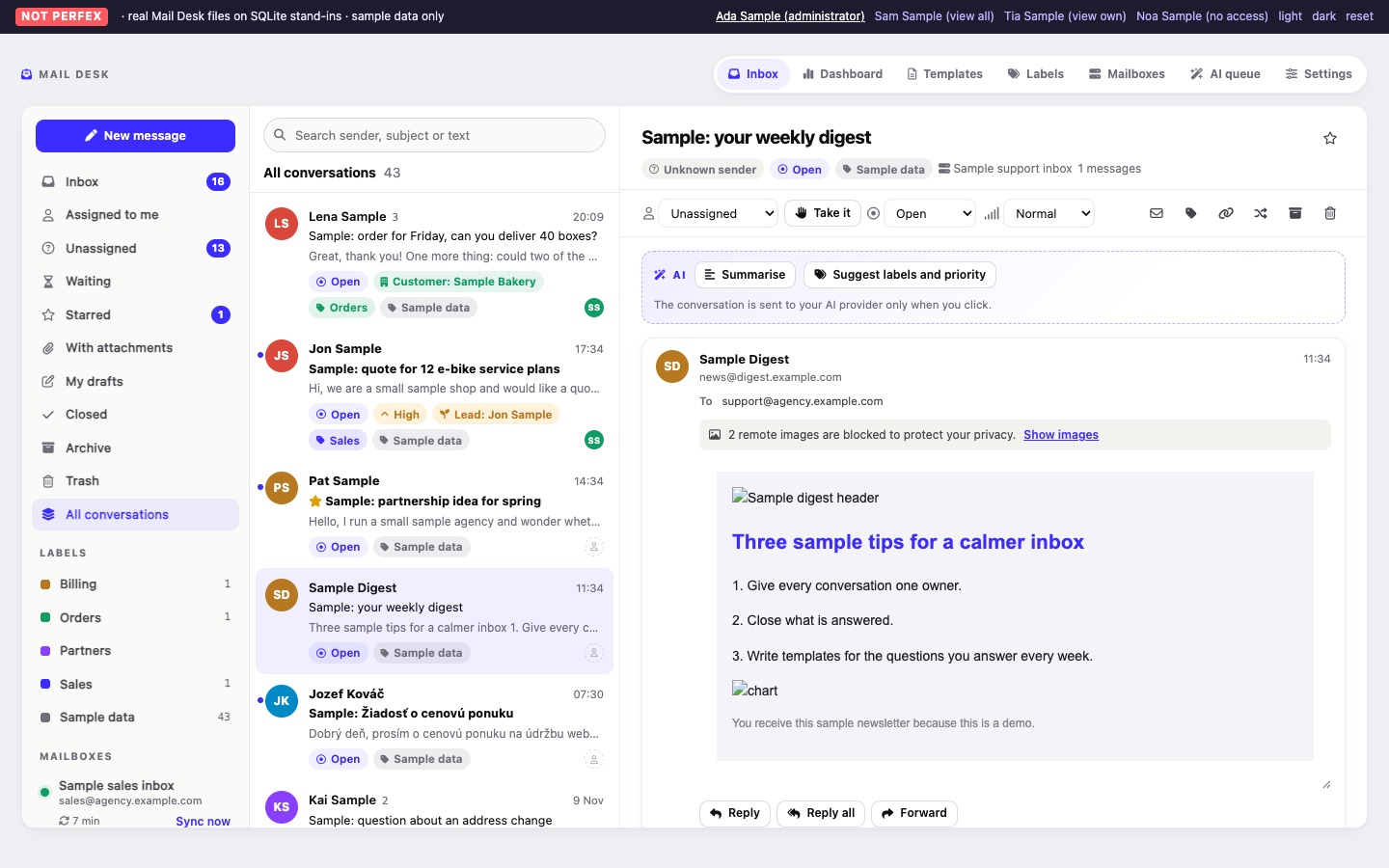
Images loaded from the internet can tell the sender that, when and where you opened their e-mail. Mail Desk holds them back: a bar above the message says "3 remote images are blocked to protect your privacy." (with the real number), and they load only when you click Show images for that message. Images sent inside the e-mail (attachments referenced by the message) are shown from Mail Desk's own storage.
05Attachments
- Stored with random names and no file extension, in a folder with an
.htaccessthat denies direct requests. Nothing a sender names can become a path or a file the web server would run. - Downloaded only through Mail Desk, after checking that the person may see that conversation.
- The Download button always downloads the file. Only PNG, JPEG, GIF and WebP images embedded in a message (up to 3 MB each) are shown inside it.
- Files that could run code or show active content (for example
.exe,.bat,.js,.php,.html,.svg,.jar,.apk, also hidden behind a double ending likeinvoice.pdf.exe) are marked download only and always download as a plain file. - Size limits and an optional retention period keep disk use under control (Settings).
06Access and requests
- Every list, conversation, message body, attachment, dashboard figure and AI action goes through one access check (Sharing and permissions).
- Every change is a POST request with Perfex's CSRF field and Mail Desk's own form token, which is refused even on an install where CSRF protection was switched off.
07Your data
- Mail is stored in your own Perfex database and on your own server. Mail Desk sends nothing to MIKODES.
- Data goes to a third party only when you switch on AI and a person clicks an AI action (What leaves your server).
- Uninstalling removes all of Mail Desk's data from Perfex (Uninstall); the mail on your mail servers stays.